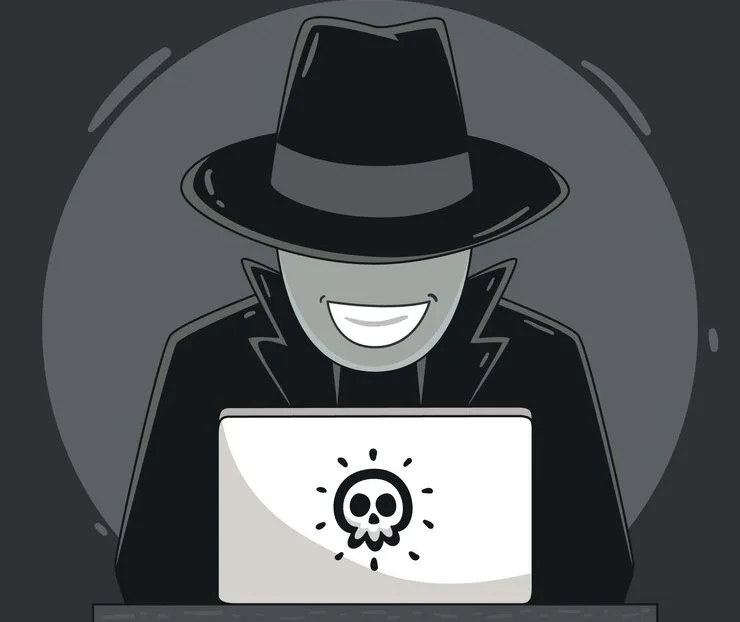
If your website doing worse in search results for no reason, this could be from bad people trying to trick search engines. Their tricks can make your site look unsafe and push it down in search results. In this article, we tell you ways to stop these bad guys from hurting your search rankings.
What Is Tricking Search Engines and How it Works?
SEO Poisoning tricks search engines. Bad people make bad websites look good. They use popular words to trick search engines. The bad sites seem important to search engines.
Sometimes, they make fake links from other sites. This makes the bad site look popular and trusted. When you search online, the bad site shows up first. When people click what looks like a safe link, it takes them to sites that could steal info or put viruses on computers. It’s an attack on website safety and trust. If not stopped, it hurts the site’s reputation and search rankings.
Impact on search rankings
Search engines work hard to give you safe and useful results. But if a website has bad links or too many keywords, it might drop in search rankings. This means fewer people will click on the website. This can be very bad for websites trying to get noticed online. Using good cybersecurity like Guardio can help stop bad things from happening. This keeps websites high in search results.
Keeping a site secure stops attacks from ruining rankings. A clean, protected site tells search engines it’s trustworthy. It deserves a top spot. Security stops hackers. It also protects rankings from dropping due to SEO poisoning tricks. Bad people look for weaknesses to exploit.
Ways to Stop Bad Guys From Attacking Your Website Rankings
- Update Often: Make sure all software, from the platform down to the smallest plugin, is current. Old versions may have security holes that attract hackers.
- Use Strong Passwords: Simple passwords don’t work anymore (they never really did). Hard-to-guess passwords are like beefy locks on doors, making it tougher for hackers to break in. Never use “password123.”
- Get SSL Certificate: SSL certificates encrypt data between your site and visitors, creating a secure channel.
- Install Security Plugins: For your website platform, there are likely tools designed to block attacks and monitor suspicious activity.
- Always make backups: Create copies of all your website’s files and databases regularly. If anything goes wrong, you can get your site up and running again without starting from scratch.
- Restrict login attempts: Set a limit on how many times someone can try to log into an account before they get locked out for a while. This prevents hackers from trying every password combination.
- Control file access: Be selective about who can access what on your site’s backend. Not everyone needs full access permissions. Limit permissions to only those who truly require them.
- Scan for vulnerabilities: Use services that will check your website for known security weaknesses and alert you if they find anything suspicious. Catching issues early makes them much easier to fix.
- Learn cybersecurity basics: Knowing what threats look like helps avoid falling for phishing scams or other tricks attackers use to gain unauthorized access. Train yourself and your team members on cybersecurity awareness.
- Have a response plan: Know what steps to take immediately after detecting a breach. Having a plan can save valuable time and resources.
Use secure credentials
Setting up tough-to-guess passwords changing them often for website safety, and using secure login credentials is crucial. One might also consider multi-factor authentication (MFA). Even if someone guesses the password, they can’t get past MFA without the second verification step. It’s an extra layer of security keeping those sneaky hackers at bay and protecting those precious search engine rankings from SEO poisoning attacks.
Monitor website activity
Monitoring website activity it’s about watching who comes in and out, what they leave behind, and making sure no one’s plotting any mischief with your SEO rankings.
- Set up alerts for unusual activity: Get notified immediately if something fishy happens on your site. This could mean a sudden spike in traffic (not the good kind) or an unfamiliar file popping up where it shouldn’t be.
- Check those backlinks: Backlinks are like roads leading to your site. You want them safe and smooth, not leading folks into dark alleys. Watch for suspicious links pointing to your site that might spell trouble.
- Keep an eye on keyword performance: If keywords start acting out of character like suddenly ranking for things they shouldn’t it might signal something’s amiss.
- Check for unsafe software often: Bad programs sneak onto your site and make trouble for search rankings.
- Look at who enters your site: Know who has access to your website and what areas they’re using.
- Watch for page changes: If pages are modified without your team editing them, that’s a warning sign.
- Notice slow loading: A sluggish website isn’t just annoying for visitors; it could mean bad code is slowing it down.
Basically, keeping an eye on website activity is guarding your online presence. Stay watchful to stop cyber attacks that mess with search rankings and security.
Use tools and services to detect and prevent SEO poisoning
- Install security add-ons: Security add-ons can check for unsafe software, watch for suspicious actions, and block harmful requests. They act like an invisible fence around your website.
- Use web application firewalls (WAFs): WAFs protect your site. They check traffic for bad things. WAFs stop attacks before reaching your website.
- Do website scans often: Scans check your site’s health. They look through code to find problems.
- Apply for DNS-level protection: This controls traffic sources. DNS-level protection blocks bad websites. It stops them from linking to you. It keeps bad neighborhoods away.
- Use search engine tools: Big search engines have webmaster tools like Google Search Console. They warn about security issues. They alert against malware infections or SEO poisoning.
- Check content changes: Check if authorized people made changes. Unauthorized changes could mean an attack. Attackers may inject bad content or redirects.
- Monitor backlinks: Watch who links to you. Use backlink monitoring tools. Sudden spikes from bad sources may mean SEO poisoning.
- Monitor backlinks: Watch who links to you. Use backlink monitoring tools. Sudden spikes from bad sources may mean SEO poisoning.
All the tools and services work together to protect your site. They stop threats before hackers can attack your search rankings.
In conclusion,
Keeping your website safe from SEO poisoning is very important. You need to be proactive about cybersecurity. Regularly updating your website, using strong passwords, and closely monitoring for issues are key. Doing these things builds a strong defense around your search rankings. It makes it hard for hackers to break in. Stay alert and use good cybersecurity tools to protect yourself. If you are committed to cybersecurity, your website can keep its top search ranking. Your website can succeed and be visible online.