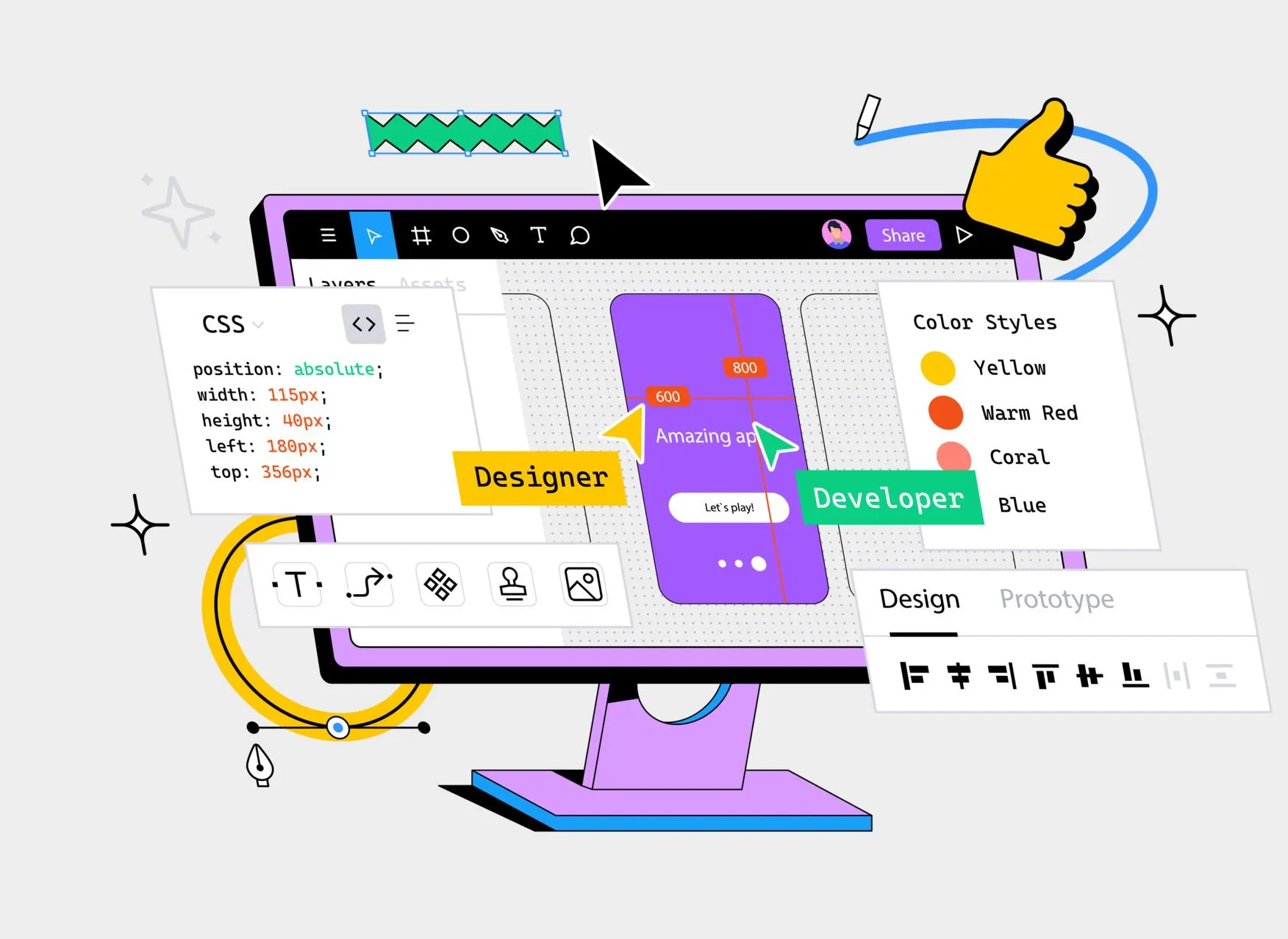
Did you know that the strategic use of white space in web design can greatly impact user experience and overall website aesthetics? White space, also known as negative space, refers to the empty areas between elements on a webpage. Contrary to what one might think, white space plays a crucial role in enhancing readability, directing attention, and fostering user engagement. In this article, we will explore the importance of white space in web design and delve into its various advantages.
Key Practices:
To maximize the impact of white space in your startup’s web design, follow these best practices:
- Use a Minimalist Approach: Embrace simplicity and avoid cluttering your website with too many elements.
- Prioritize Content: Use white space to draw attention to your key messages and content.
- Balance Text and Images: Ensure a harmonious balance between text, images, and white space to create a visually appealing design.
- Be Consistent: Apply white space consistently throughout your website to create a cohesive and recognizable brand identity.
Enhancing Readability
Adequate white space around text and other content elements enhances readability, allowing users to easily read and comprehend the information on a webpage.
- Clear Font Choices: Select fonts that are legible and consistent throughout the website.
- Appropriate Font Sizes: Use font sizes that are easy to read, with clear hierarchy and headings.
- Line Spacing: Ensure sufficient line spacing (leading) to prevent text from appearing cramped.
- Text Color Contrast: Use high contrast between text and background to improve readability.
- Short Paragraphs: Break up long paragraphs into shorter, manageable chunks.
- Headings and Subheadings: Use clear headings and subheadings to create a visual hierarchy.
- Bullet Points and Lists: Utilize bullet points and lists to present complex information in a clear, concise manner.
- White Space: Strategically use white space to create a clear and uncluttered reading environment.
- Consistent Formatting: Maintain consistent formatting throughout the website to create a sense of rhythm.
- Minimize Clutter: Remove unnecessary elements that distract from the main content.
- Optimize for Mobile: Ensure readability on mobile devices by using responsive design and clear typography.
- Accessibility Features: Incorporate accessibility features like font size adjustment and high contrast modes.
By increasing comprehension, white space provides a visual separation between different sections, paragraphs, and elements, creating a user-friendly layout. It helps establish a clear hierarchy, guiding users to focus on the most important information and navigate the website more effectively. Additionally, white space improves text readability, making it easier for users to consume the content without feeling overwhelmed. It contributes to a balanced and aesthetically pleasing design, ensuring that the website is visually appealing and reflects a brand’s identity. With white space, websites become more accessible, providing sufficient spacing for users with disabilities to navigate and interact with the content.
Focusing Attention
Focusing attention on key elements is enhanced by the strategic utilization of ample surrounding whitespace in a web page’s layout. White space helps create hierarchy, guiding the eye towards important elements and increasing user engagement.
Why White Space is Important for Attention Focus:
- Guides the Eye: White space creates a clear visual hierarchy, directing the user’s attention to key elements and calls-to-action.
- Reduces Distractions: Ample white space minimizes visual clutter, reducing distractions and keeping the user focused on important content.
- Improves Readability: White space enhances readability by providing sufficient space between lines, paragraphs, and elements, making it easier to scan and understand content.
- Enhances Visual Flow: White space creates a natural flow, guiding the user’s attention through the content and creating a sense of rhythm.
- Increases Engagement: By creating a clear and focused visual hierarchy, white space encourages users to engage with key elements and interact with the website.
- Supports Mobile Responsiveness: White space ensures that content remains legible and easily accessible on smaller screens, critical for mobile devices.
- Reduces Cognitive Load: White space minimizes mental effort, allowing users to quickly understand the content and focus on their goals.
- Creates Visual Balance: White space balances text and images, creating a harmonious composition that draws attention to key elements.
- Highlights Calls-to-Action: White space emphasizes calls-to-action, encouraging users to take action and engage with the website.
- Enhances Brand Identity: Consistent use of white space reinforces a brand’s visual identity, creating recognition and trust with users.
By providing visual separation and allowing key elements to stand out, white space has a significant impact on the overall user experience. It not only improves readability and scannability but also contributes to the aesthetics and branding of a website. With the right balance of white space, designers can create visually appealing compositions that convey a sense of elegance and sophistication. Additionally, white space plays a crucial role in mobile responsiveness, ensuring that content remains legible on smaller screens. By reducing cognitive load and encouraging interaction, white space ultimately leads to a more enjoyable and effective user experience.
Aesthetics and Branding
The strategic utilization of ample surrounding whitespace contributes to the overall aesthetics and branding of a website, creating a sense of elegance and sophistication. When implemented with a minimalist approach, white space enhances the visual appeal of a website by providing a clean design that allows for a sense of sophistication.
- Focus on Key Messages: Startups often have a simple, clear value proposition. White space helps draw attention to this message, ensuring visitors quickly understand the startup’s purpose and offering.
- Clean and Modern Look: A minimalist design with ample white space creates a modern, sleek appearance, which is essential for startups aiming to appear innovative and cutting-edge.
- User Experience: White space improves readability, making it easier for visitors to scan and understand content. This is critical for startups, as they need to communicate their message quickly and efficiently.
- Scalability: Startups often iterate and refine their products and services rapidly. A design with ample white space allows for easier updates and changes, ensuring the website remains flexible and adaptable.
Brands that prioritize simplicity and minimalism often leverage white space to convey their brand identity. By using generous amounts of whitespace, a website can create a visually pleasing and uncluttered appearance, allowing the content and key elements to stand out. This clean and modern look not only enhances the user experience but also reinforces the brand’s image of simplicity and elegance. The deliberate use of white space specially for saas web design, it can significantly impact a website’s overall aesthetics and branding, creating a sense of sophistication and visual appeal.
Reducing Cognitive Load
Reducing cognitive load is essential in web design as it allows users to focus on the content without feeling overwhelmed by excessive information or visual complexity. By simplifying content and minimizing distractions, designers can improve the user experience and enhance cognitive processing. One effective way to achieve this is by incorporating white space. White space acts as a visual buffer, streamlining information and creating a sense of clarity and organization. It allows users to digest information more easily and navigate the website with less effort.
Reducing Cognitive Load:
- Simplify Language: Use clear and concise language to reduce mental effort.
- Break Up Content: Divide complex content into smaller, manageable chunks.
- Visual Hierarchy: Create a clear visual hierarchy to guide the user’s attention.
- Consistent Design: Maintain consistent design elements throughout the website.
- Minimize Options: Limit options and choices to reduce decision fatigue.
- Clear Calls-to-Action: Use prominent and clear calls-to-action to guide user behavior.
- Reduce Clutter: Remove unnecessary elements that distract from the main content.
- Intuitive Navigation: Design intuitive navigation to reduce user frustration.
Using White Space to Reduce Cognitive Load:
- Create Breathing Room: Use white space to create a sense of breathing room and reduce visual clutter.
- Guide the Eye: Use white space to guide the user’s attention to key elements.
- Improve Readability: Use white space to improve readability by creating clear line spacing and paragraph separation.
- Enhance Visual Flow: Use white space to create a natural flow and guide the user through the content.
- Reduce Overwhelm: Use white space to reduce overwhelm by breaking up complex content.
- Highlight Important Elements: Use white space to highlight important elements and calls-to-action.
- Create Visual Hierarchy: Use white space to create a clear visual hierarchy and guide the user’s attention.
- Improve Mobile Experience: Use white space to improve the mobile experience by creating clear and simple layouts.
By strategically using white space, designers can create a clean and uncluttered layout that promotes readability and reduces cognitive strain. This not only improves the overall user experience but also increases the likelihood of users staying on the site longer and engaging with the content.
Mobile Responsiveness
Adequate spacing ensures that content remains legible and usable on smaller screens, improving the overall user experience for mobile devices. In today’s digital world, where mobile usage is increasing rapidly, it is essential to have a responsive layout that adapts to different screen sizes.
Step 1: Plan and Design
- Design for mobile-first or responsive design
- Consider user experience and behavior on mobile devices
- Plan layout, content, and navigation for small screens
Step 2: Use Responsive Design Techniques
- Use media queries to apply different styles for different screen sizes
- Use flexible grids and layouts to adapt to screen size
- Use images and videos that scale with the layout
Step 3: Optimize Content
- Use short paragraphs and concise language
- Break up long content into smaller chunks
- Use headings, subheadings, and bullet points to create a clear hierarchy
Step 4: Simplify Navigation
- Use a simple and consistent navigation menu
- Use icons and buttons that are easy to tap
- Minimize the number of options and choices
Step 5: Ensure Touch-Friendliness
- Use large tap targets (at least 48x48px)
- Use sufficient spacing between elements
- Use clear and visible feedback for user interactions
Step 6: Test and Iterate
- Test on various mobile devices and screen sizes
- Test for usability, performance, and functionality
- Iterate and refine the design and layout based on testing results
Step 7: Use Mobile-Friendly Technologies
- Use HTML5, CSS3, and JavaScript for mobile-friendly coding
- Use mobile-friendly frameworks and libraries (e.g., Bootstrap, jQuery Mobile)
- Use mobile-friendly testing tools (e.g., Mobile-Friendly Test, Responsinator)
Step 8: Optimize Performance
- Optimize images and videos for mobile devices
- Minimize file sizes and loading times
- Use caching and content delivery networks (CDNs) to improve performance
By implementing sufficient spacing, designers can ensure that the content is easily readable and accessible on various devices, regardless of their screen adaptability. This not only enhances the user experience but also promotes cross-device compatibility. Users can seamlessly navigate through the website without any visual hindrances, resulting in a positive interaction. Therefore, incorporating white space in web design is crucial for creating a mobile-friendly experience that caters to the diverse needs of users.
Improving Legibility and Scannability
Enhancing readability and user experience, the proper use of spacing around text blocks improves the legibility and scannability of content on a webpage. Designing with the right font choices, line spacing, text alignment, and typography hierarchy can greatly enhance the overall readability of a webpage. Here are some key considerations:
- Font choices: Selecting appropriate fonts that are easy to read is essential. Avoid using decorative or overly stylized fonts that may hinder legibility.
- Line spacing: Sufficient line spacing between text lines helps prevent overcrowding and improves readability. It allows users to easily distinguish between lines and follow the flow of the content.
- Text alignment: Proper alignment, such as left or justified alignment, ensures that the text is organized and easy to follow. It also helps users scan the content more effectively.
- Typography hierarchy: Establishing a clear hierarchy by using different font sizes, weights, and styles for headings, subheadings, and body text makes it easier for users to navigate and understand the content structure.
- Use of bullet points: Utilizing bullet points helps break down information into digestible chunks, making it easier for users to scan and comprehend key points.
Encouraging Interaction
When strategically incorporated, well-placed spacing around interactive elements on a webpage can effectively prompt and facilitate user interaction. Maximizing engagement and optimizing conversion rates are key goals in interactive design, and white space plays a vital role in achieving these objectives. By providing ample breathing room around buttons, forms, and other interactive elements, white space helps draw attention to these elements and makes it clear that they are clickable. This improves the user experience by reducing confusion and enhancing click-through rates. Additionally, white space creates a sense of balance and harmony in the overall design, making the website more visually appealing. In conclusion, incorporating well-placed white space around interactive elements is essential for maximizing engagement, optimizing conversion rates, and creating a positive user experience.
Balancing Visual Elements
Maintaining a sense of balance and harmony in a webpage’s composition can be achieved through the effective use of spacing between visual elements. White space, also known as negative space, plays a crucial role in achieving harmony and creating balance in web design. By strategically incorporating white space, designers can enhance the visual composition and overall layout aesthetics of a website. White space provides breathing room between different elements, allowing them to stand out and be more easily perceived by users. It helps create a sense of design cohesion and prevents the webpage from feeling cluttered or overwhelming. By utilizing white space effectively, designers can achieve a visually appealing and balanced web design that enhances the user experience and promotes engagement.
Ensuring Accessibility
Accessible websites prioritize equal access to information for all users, ensuring that individuals with disabilities can navigate and interact with the content effectively. One important aspect of ensuring accessibility is through the use of white space in web design. White space, when used correctly, can contribute to an inclusive layout and user-friendly navigation. It helps create a visually organized and uncluttered design, making it easier for users with disabilities to locate and interact with important elements on the webpage. Moreover, white space can aid in meeting ADA compliance standards and usability guidelines by providing clear visual cues and improving readability for individuals with visual impairments. By incorporating white space into the design, web designers can enhance the accessibility of their websites and provide equal access to information for all users.
Conclusion
In conclusion, white space plays a pivotal role in web design, offering numerous benefits that enhance the user experience and overall aesthetics of a website. From improving readability and directing attention to fostering interaction and ensuring accessibility, white space creates a visually appealing and user-friendly interface. By incorporating this strategic design element, web designers can create a harmonious balance between visual elements, resulting in a captivating and engaging online experience for users. For businesses looking to create a visually appealing and user-friendly website, organizations like Digital Alliance can provide valuable insights on optimizing white space to enhance the overall design.